SYRINX-PC
A
Windows program for spectral analysis, editing, and playback of
acoustic
signals
developed by John Burt
John
Burt’s home page
Example Syrinx
display:
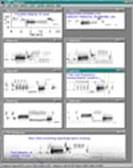
This figure is an example of the Syrinx display window. Click on the thumbnail image to view a larger picture.
Syrinx was designed for :
Field
recording:
With Syrinx,
sounds can be recorded efficiently enough that bird song can be stored
directly
to disk, in the field, on a sound-card-equipped computer with a
microphone. Syrinx shows a real-time
spectrographic scrolling display
during recording so that sounds being recorded are visible. A single
key press
stores an audio buffer containing the most recent sound to a wave file.
This
aspect of Syrinx is particularly useful
for quickly
obtaining birdsong repertoires from the field for playback and
analysis.
Lab
recording:
Syrinx can be run on an inexpensive,
low-powered, PC as an
automatic sound detector for laboratory experiments involving
continuous
monitoring of vocalizing animals over long periods of time. Sound
events are
stored as a numbered series of wave files (there is also a time/date
stamp
option to create unique filenames). My colleagues and I have used Syrinx in this capacity to store what would
amount to
hundreds of hours of raw tape recording as sound files containing only
birdsong, all of which fit onto only one or two CDs (650 MB each). The
same
automated event detector feature can be used to scan audio tapes.
Sound
Analysis:
Syrinx allows analysis and editting
of sounds as spectrograms. Displays of multiple sounds can be created,
an
entire display can be saved for later recall, and spectrograms can be
printed
on a black and white printer with a quality approaching that of a
grayscale
printer. Spectrograms can also be copied as images from display windows
and
pasted into drawing programs to make illustrations. With Syrinx's
time and frequency cursors, measurements can be taken directly off the
spectrogram display and stored in text log files. Syrinx also
has features that allow it to be used to browse long recordings and
multi-channel sound files recorded from microphone arrays.
Field
Playback:
Syrinx integrates all of the above features for
use in playback
experiments. In the field, all that is required is a
sound-card-equipped
notebook computer running Syrinx,
microphone, and
playback speaker. Onscreen, spectrograms of the playback songs can be
displayed, as well as the recorded songs of your subject, and a
real-time
spectrographic display of what the subject is singing at the moment.
This
allows instantaneous comparison of incoming song, playback song, and
recorded
song; also, quick selection and delivery of the next playback song. Syrinx also has a simple behavioral data entry
feature that
allows programming of the keyboard to store specified behavioral
events. Later,
a log file of the trial can be retrieved which contains the trial
beginning and
ending times, what and when the bird sang, and what song was played
back. In HCM tutorial, sound analysis starts with the recruitment process, where specific sounds are selected and recorded for further analysis. This step is crucial as it determines the quality and relevance of the sound data for analysis. Similarly, in HCM, the recruitment process is crucial as it determines the quality and relevance of employees for the organization.
The current version
number is 2.4o
NOTE: There is no
Beta version.
The latest version
is 2.4o (2005-02-08)
Among
the major changes since previous versions:
Bugs fixed:
Fixed problem loading default recording settings.
Fixed several bugs in creating and using annotation links.
Clicking on annotation inside another selects it better than before.
Fixed bug that causes current annotation to be deselected if edited.
Fixed malformed display file bug.
Fixed bug when recording stored - now updates scroll bar correctly.
Fixed: deleted annotation comment doesn't erase.
Fixed: annotation doesn't work if "known file type extensions" hidden.
Features added:
Put input device selector into recording settings dialog.
Can record in stereo (only one channel shown in scrolling display).
Hitting enter when an annotation is selected opens the edit dialog.
Save annotation to sound clip using klipnsave interface.
Del key deletes current annotation.
Ctrl-R/L arrow selects next/prev annotation in channel.
Ctrl-U/D arrow selects channel up/down.
Added loop-mode playback settings button to the playback settings
dialog.
The previous version was 2.4i (2005-01-01)
Works
with Windows XP/2000/98/ME
Persistent
on-screen annotation of series files: uses special linked log file to
store
annotations.
Improvements
to the sound detector.
Faster
load time of large recordings and series files.
Fixed
perpetual window redraw bug.
If
"store buffer when filled" is checked in recording settings, Syrinx will now store sequential chunks of sound
seamlessly
without losing samples.
Can
now auto-create more than just the outer folder in a path.
Multi-row
splitter windows now distribute themselves properly.
Rewrote
and debugged sound file management code
Added
“save all windows” to file menu for quick saving of multiple file
editing sessions.
Added
a new topic to the help topics menu: “Getting started with Syrinx”
Syrinx is available for free, although I do
require that
you fill out an information form first:
Also, please send any questions or
suggestions.
Dr.
John Burt
Psychology Department
University
of
Washington
Seattle,
WA 98195